Bounce
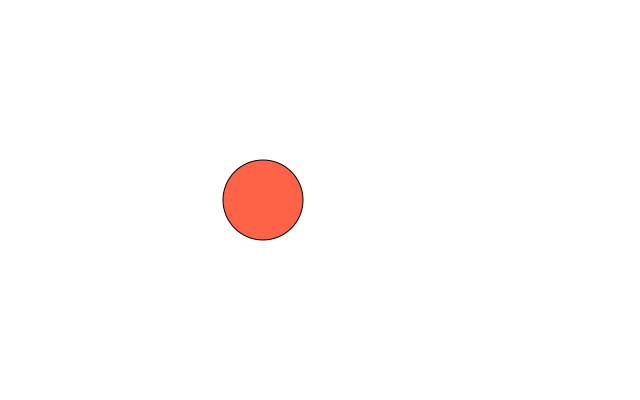
Change a variable a little in every draw() and you have motion. Flip the speed at the edges and the circle bounces.
How it works
- x and speed are variables outside draw(), so they keep their values from one frame to the next. global lets draw() change them.
- Each frame, x += speed moves the circle a few pixels. f.background() wipes the last frame first, so it looks as if one circle moves.
- At either edge the sketch sets speed = -speed. A positive speed becomes negative, so the circle turns round.
- f.width gives the window's width, so the right edge is found for you.
- f.fill() sets the colour and f.circle() draws the circle at x.
Make it yours
- Change speed = 7 to a smaller or bigger number. Try a negative one.
- Change the colour in f.fill("tomato") to another colour name.
- Change the 80 in f.circle() to make the ball bigger or smaller. Then change the 40 in the edge check to half the new size, so it still touches the edge.
- Add a y and a vertical speed, move both in draw(), and flip each at its own edges.
- Draw a second ball that starts at a different place with a different speed.
The code
Copy it into a file and run it.
"""Bounce

Change a variable a little in every draw() and you have motion. Flip the speed at the edges and
the circle bounces.

How it works:
- x and speed are variables outside draw(), so they keep their values from one frame to the next.
  global lets draw() change them.
- Each frame, x += speed moves the circle a few pixels. f.background() wipes the last frame first,
  so it looks as if one circle moves.
- At either edge the sketch sets speed = -speed. A positive speed becomes negative, so the circle
  turns round.
- f.width gives the window's width, so the right edge is found for you.
- f.fill() sets the colour and f.circle() draws the circle at x.

Make it yours:
- Change speed = 7 to a smaller or bigger number. Try a negative one.
- Change the colour in f.fill("tomato") to another colour name.
- Change the 80 in f.circle() to make the ball bigger or smaller. Then change the 40 in the edge
  check to half the new size, so it still touches the edge.
- Add a y and a vertical speed, move both in draw(), and flip each at its own edges.
- Draw a second ball that starts at a different place with a different speed.
"""
import funground as f

x = 60
speed = 7


def setup():
    f.size(640, 400)


def draw():
    global x, speed
    f.background("white")
    f.fill("tomato")
    f.circle(x, f.height / 2, 80)
    x += speed
    if x > f.width - 40 or x < 40:
        speed = -speed


f.run()