1. Getting started
funground is a small Python library for drawing and animation. You write a short Python file, run it, and a window opens with your picture in it.
Install
You need Python 3.11 or newer. In a terminal, in the folder where you keep your sketches:
python -m venv .venv
.venv\Scripts\activate        # Windows;  on macOS/Linux:  source .venv/bin/activate
python -m pip install funground
On Linux, install the Cairo library first: sudo apt install libcairo2-dev pkg-config python3-dev
(Debian or Ubuntu; other distributions have an equivalent package).
Your first sketch
Save this as first.py and run it with python first.py:
import funground as f


def setup():
    f.size(640, 400)


def draw():
    f.background("white")
    f.fill("tomato")
    f.circle(320, 200, 120)


f.run()
We write import funground as f and then use f. in front of every funground command. Don't use
f as a name for your own variables, for example with open(...) as f: — that would hide
funground, and the next f.circle(...) would fail.
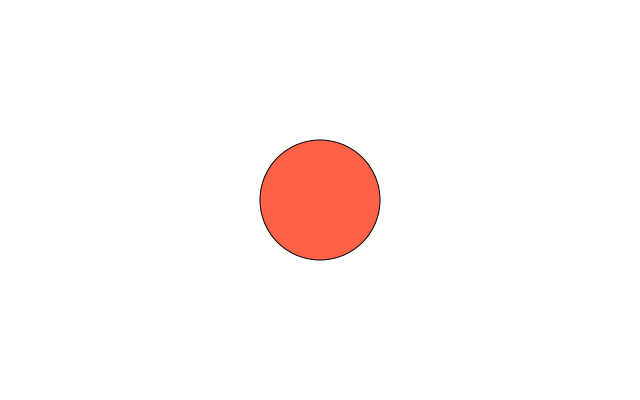
import funground as f— every funground function starts withf.setup()runs once at the start;f.size(640, 400)opens a window 640 pixels wide and 400 high.draw()runs again and again, about 60 times a second. Here it paints the background white, chooses a tomato-red fill and draws a circle.f.run()starts everything. It finds yoursetup()anddraw()by their names.
Press Escape or close the window to stop.
Where things are
The origin (0, 0) is the top-left corner. x grows to the right and y grows down.
f.width and f.height are the size of the window, so the centre is (f.width / 2, f.height / 2).
More examples
The Examples Gallery shows every part of funground with a picture and
the code that makes it. To browse it in a window, run python -m funground.gallery
(the Projects at the top are the best place to start). Click
a picture to read its code, press Enter to run it, and press C to copy it into your folder.
Files an example saves go to a temporary folder. The browser tells you where, and the O key opens that folder.
See also
- Gallery: Basics, or browse every example with
python -m funground.gallery. - Quick Reference: 1. The basic idea.
- Stuck? When something goes wrong lists the messages you are most likely to see. Words you do not know are in the glossary.
Try it
- Change
"tomato"to another colour name, such as"teal", and run the sketch again. - Move the circle to the top-left corner, then to the bottom-right corner. Use
f.widthandf.heightfor the second one. - Draw a second shape after the circle with
f.rect(40, 40, 100, 60). What happens if you draw it before the circle?