14. Coming from p5.js and Processing
funground borrows most of its ideas, and most of its names, from p5.js and Processing: a canvas,
a setup()/draw() loop, shapes, colour, transforms. If you already know one of those two, a
sketch usually ports across by renaming things — createCanvas becomes size, rect stays
rect — and writing the result in Python style: snake_case names, and every command called
through the module, as f.something(...).
This chapter is a map from what you know to what funground calls it, and a list of the places the behaviour itself changed on purpose, with the reason each time.
Names you already know, renamed
Canvas and window
| p5.js | Processing | funground |
|---|---|---|
createCanvas(w, h) |
size(w, h) |
f.size(w, h) |
width, height |
width, height |
f.width, f.height |
background(color) |
background(color) |
f.background(color) |
frameRate(fps) |
frameRate(fps) |
f.size(w, h, fps=...) or f.run(fps=...) — see below |
Processing already calls its canvas function size(), so that name should feel familiar even
coming from p5.
Shapes
| p5.js | Processing | funground |
|---|---|---|
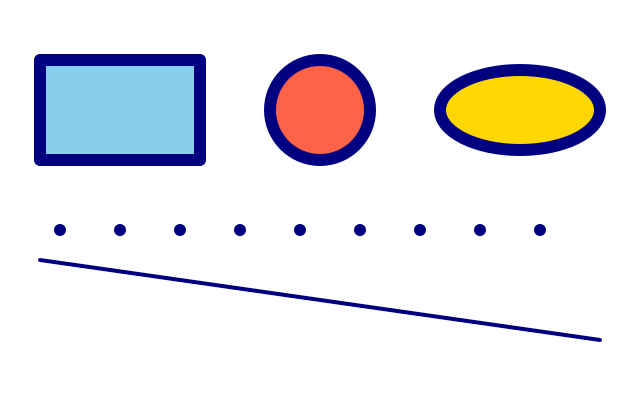
rect(x, y, w, h) |
rect(x, y, w, h) |
f.rect(x, y, w, h). The corner radius works as in p5: f.rect(x, y, w, h, r), or four radii f.rect(x, y, w, h, tl, tr, br, bl) |
ellipse(x, y, w, h) |
ellipse(x, y, w, h) |
f.ellipse(x, y, w, h) |
circle(x, y, d) |
circle(x, y, d) |
f.circle(x, y, d) |
line(x1, y1, x2, y2) |
line(x1, y1, x2, y2) |
f.line(x1, y1, x2, y2) |
point(x, y) |
point(x, y) |
f.point(x, y) |
triangle(...), quad(...) |
triangle(...), quad(...) |
f.triangle(...), f.quad(...) |
beginShape()/vertex()/endShape() |
same | f.begin_shape()/f.vertex()/f.end_shape() |
bezierVertex(...), curveVertex(...) |
same | f.bezier_vertex(...), f.curve_vertex(...) |
Colour
| p5.js | Processing | funground |
|---|---|---|
fill(...), stroke(...) |
fill(...), stroke(...) |
f.fill(...), f.stroke(...) |
noFill(), noStroke() |
noFill(), noStroke() |
f.no_fill(), f.no_stroke() |
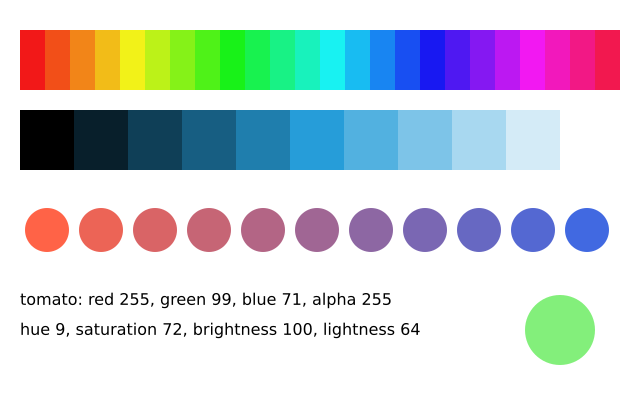
colorMode(HSB, 360, 100, 100) |
colorMode(HSB, 360, 100, 100) |
f.color_mode("hsb", 360, 100, 100); f.hsb(...) / f.hsl(...) still make a colour directly |
lerpColor(c1, c2, amt) |
lerpColor(c1, c2, amt) |
f.lerp_color(c1, c2, t) |
Style
| p5.js | Processing | funground |
|---|---|---|
strokeWeight(n) |
strokeWeight(n) |
f.stroke_width(n) |
strokeCap(...), strokeJoin(...) |
strokeCap(...), strokeJoin(...) |
f.stroke_cap(...), f.stroke_join(...) |
rectMode(...), ellipseMode(...), imageMode(...) |
same | f.rect_mode(...), f.ellipse_mode(...), f.image_mode(...). Modes are lower-case words: CORNER is "corner", CORNERS is "corners", CENTER is "center", RADIUS is "radius" |
loadShape("x.svg"), shape(s, x, y, w, h) |
same | s = f.load_svg("x.svg"), f.image(s, x, y, w, h). The picture is made of the SVG's shapes, so it stays sharp at any size. f.svg_paths("x.svg") gives the shapes as paths. Gradients paint with their first colour; text, images, filters and masks are ignored |
erase(strengthFill, strengthStroke), noErase() |
same | f.erase(fill_strength, stroke_strength), f.no_erase(). Both default to 255. Removes colour, gradients, tint, blend mode, opacity and shadow from the picture; it only takes alpha away. One difference: p5 ignores erase() for image(), but here an image erases by its own alpha times the fill strength. In a PDF, erasing straight on the canvas leaves no hole; erasing a picture does |
tint(...), noTint() |
same | f.tint(...), f.no_tint(). Takes the same colour forms as f.fill(). Multiplies the colour and alpha of pictures drawn after it |
image(img, x, y, w, h, sx, sy, sw, sh) |
same | f.image(g, x, y, w, h, sx, sy, sw, sh): the nine-argument form draws only the part sx, sy, sw, sh of the picture. Give all four of them or none |
get(x, y), get(x, y, w, h) |
same | f.get(x, y) is a colour object, not a list. f.get(x, y, w, h) is a picture. Pixels are logical (pixel density 1): on a high-resolution screen get reads the top-left real pixel of one |
set(x, y, c) |
same | f.set(x, y, c). Takes any colour form. Ignores fill, stroke, transform, clip, tint, opacity and blend mode. No updatePixels() is needed after it |
loadPixels(), pixels, updatePixels() |
same | f.load_pixels(), f.pixels, f.update_pixels(). f.pixels is a flat bytearray of red, green, blue, alpha (not premultiplied), 4 per pixel, index (y * f.width + x) * 4, as p5 with pixelDensity(1). It is None until load_pixels(). A picture has the same: g.pixels |
filter(THRESHOLD, v), filter(GRAY), filter(OPAQUE), filter(INVERT), filter(POSTERIZE, n), filter(BLUR, r), filter(ERODE), filter(DILATE) |
same | f.filter("threshold", v), f.filter("gray"), and so on: the kind is a lower-case word. Works on the canvas (everything drawn so far) and on pictures: g.filter(...). "posterize" needs its value. "posterize", "erode" and "dilate" are faster with pip install funground[extras] |
img.copy(), img.resize(w, h), img.mask(m) |
same | g.copy() (a new picture), g.resize(w, h) (a 0 for one side keeps the shape; Processing's rule), g.mask(other) (multiplies alpha; other is a picture, scaled to fit). All three are methods of a picture, not f. functions |
noSmooth() for images |
same | f.no_smooth() also makes f.image() scale pictures with the nearest pixel, so enlarged pixel art stays crisp |
Transforms
| p5.js | Processing | funground |
|---|---|---|
translate(x, y) |
translate(x, y) |
f.translate(dx, dy) |
rotate(angle) |
rotate(angle) |
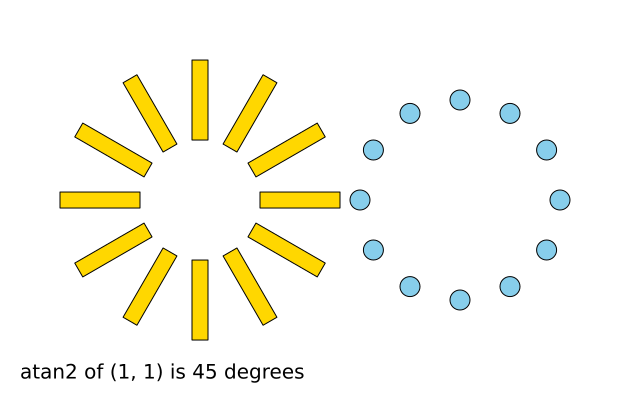
f.rotate(degrees) |
scale(s) |
scale(s) |
f.scale(s) |
push() / pop() |
push() / pop() (or the older pushMatrix()/popMatrix(), pushStyle()/popStyle()) |
f.push() / f.pop(), or with f.saved_state(): |
Text
| p5.js | Processing | funground |
|---|---|---|
text(str, x, y) |
text(str, x, y) |
f.text(message, x, y) |
text(str, x, y, w, h) |
text(str, x, y, w, h) |
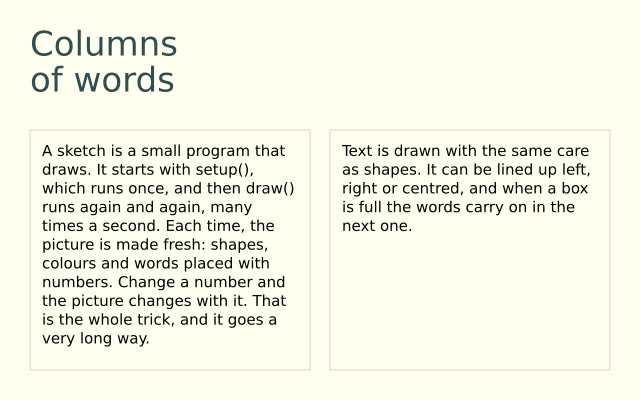
f.text_box(message, x, y, w, h) |
textSize(n) |
textSize(n) |
f.text_size(n) |
textAlign(h, v) |
textAlign(h, v) |
f.text_align(h, v) |
textWidth(str) |
textWidth(str) |
f.text_width(message) |
textFont(font) |
textFont(font) |
f.text_font(font) |
font.textToPoints(str, x, y, ...) |
(none) | f.text_to_points(message, x, y, spacing=5) |
textToPoints belongs to the font object in p5, takes the text size and a sampling option, and
spaces its points by how finely it samples the curves. funground's is a function that uses your
current font, size, style and alignment, like f.text(), and you give the distance between points
in pixels. The points come back as a list of (x, y) tuples. f.text_path() gives the shape itself.
Loop control
| p5.js | Processing | funground |
|---|---|---|
noLoop() / loop() |
noLoop() / loop() |
f.no_loop() / f.loop() |
redraw() |
redraw() |
f.redraw() |
frameCount |
frameCount |
f.frame_count |
millis() |
millis() |
f.millis() |
Input
| p5.js | Processing | funground |
|---|---|---|
mouseX, mouseY |
mouseX, mouseY |
f.mouse_x, f.mouse_y |
mouseIsPressed |
mousePressed (a field, not the method of the same name) |
f.is_mouse_pressed |
mousePressed() (callback) |
mousePressed() (a method, not the field of the same name) |
f.mouse_pressed() (callback) |
keyIsPressed |
keyPressed (field) |
f.is_key_pressed |
key, keyCode |
key, keyCode |
f.key, f.key_code |
createSlider(min, max, value, step) |
— (a library such as ControlP5) | f.create_slider(low, high, value, step, label); read it with slider.value() |
createCheckbox(label, checked) |
— | f.create_checkbox(label, checked); read it with box.checked() |
createButton(label) then button.mousePressed(fn) |
— | f.create_button(label); ask button.clicked() in draw() |
p5 puts these controls on the web page. funground puts them in a panel below the canvas, in the order
you made them, with the label and value shown. Make them in setup(), as in p5. You choose the
label when you make them, so there is no position(). Chapter 10 has an example.
Maths
| p5.js | Processing | funground |
|---|---|---|
map(v, a1, b1, a2, b2) |
map(v, a1, b1, a2, b2) |
f.map_range(v, a1, b1, a2, b2) |
lerp(a, b, t) |
lerp(a, b, t) |
f.lerp(a, b, t) |
dist(x1, y1, x2, y2) |
dist(x1, y1, x2, y2) |
f.distance(x1, y1, x2, y2) |
constrain(v, lo, hi) |
constrain(v, lo, hi) |
f.constrain(v, lo, hi) |
Noise
| p5.js | Processing | funground |
|---|---|---|
noise(x, y, z) |
noise(x, y, z) |
f.noise(x, y, z) |
noiseSeed(n) |
noiseSeed(n) |
f.noise_seed(n) |
noiseDetail(lod, falloff) |
noiseDetail(lod, falloff) |
f.noise_detail(octaves, falloff) |
funground's noise uses p5's own algorithm and seed generator, so the pattern from a given seed matches p5's exactly.
Vectors
| p5.js | Processing | funground |
|---|---|---|
createVector(x, y) |
new PVector(x, y) |
f.Vector(x, y) |
v.add(w), v.mult(n), ... |
v.add(w), v.mult(n), ... |
v.add(w), v.mult(n), ... — same, changes v in place |
v.cross(w) (3D result) |
v.cross(w) (3D result) |
v.cross(w) — a number, see below |
Off-screen graphics
| p5.js | Processing | funground |
|---|---|---|
createGraphics(w, h) |
createGraphics(w, h) |
f.create_graphics(w, h) |
| draw on it directly | pg.beginDraw() … pg.endDraw() around every use |
draw on it directly, no begin/end |
image(pg, x, y) |
image(pg, x, y) |
f.image(g, x, y) |
pg = createGraphics(w, h), draw on pg, then image(pg, 0, 0) every frame |
the same, with beginDraw()/endDraw() |
with f.layer("name"): - the friendly version. The layer is the size of the canvas, keeps its drawing, and is put over the canvas for you |
Saving
| p5.js | Processing | funground |
|---|---|---|
save(filename) |
save(filename) |
f.save(path) |
saveFrame("line-####.png") |
saveFrame("line-####.png") |
f.save_frames(pattern, count) |
saveGif("name", seconds) |
(none) | f.save_gif("name.gif", seconds). The name must end in .gif. Frames are shown for 1 / frame rate; the GIF loops. Needs Pillow (pip install funground[extras]) or ffmpeg. For a video, f.save_movie("name.mp4", seconds) (needs ffmpeg) |
Sound
| p5.js | Processing | funground |
|---|---|---|
loadSound("x.mp3"), s.play(), s.loop(), s.stop(), s.pause(), s.setVolume(v), s.isPlaying(), s.duration() (the p5.sound add-on) |
the Sound library | s = f.load_sound("x.mp3"), then s.play(), s.loop(), s.stop(), s.pause(), s.set_volume(v), s.is_playing(), s.duration(). They are methods of the sound, in snake_case. WAV, OGG or MP3. With no sound device it plays silently and keeps time |
new p5.Amplitude(), amp.getLevel() |
Amplitude, analyze() |
s.level(): 0 to 1, how loud the sound is right now. There is no separate object: ask the sound |
new p5.FFT(), fft.analyze() |
FFT, analyze() |
s.spectrum(bands): a list of bands numbers from 0 to 1, low pitch to high, spaced evenly in pitch from 40 Hz to 16 kHz. p5 gives 1024 numbers from 0 to 255, spaced evenly in frequency |
new p5.Oscillator("sine"), osc.freq(440), osc.start() |
(the Sound library's SinOsc) |
f.tone(440, 2, "sine").play(). There is no live oscillator: you make a sound of a set length first, then play it. The waves are "sine", "square", "saw", "triangle" and "noise" (p5's "sawtooth" is "saw") |
new p5.Envelope(), env.setADSR(...), env.play(osc) |
(none) | f.tone(440, 1, attack=0.05, release=0.3). A fade in and a fade out, in seconds, built into the tone. There is no decay or sustain level |
midiToFreq(69) |
(none) | f.note_to_frequency("A4"). You give a note name, not a MIDI number. f.frequency_to_note(440) goes back |
new p5.AudioIn(), mic.start(), mic.getLevel() |
AudioIn, Amplitude |
mic = f.microphone(), mic.start(), mic.level(). The microphone also has spectrum() and pitch(), and mic.capture(seconds) gives the last few seconds as a sound. It is never played back. f.microphones() lists the inputs |
| (none) | (none) | f.melody("C4 E4 G4:2") plays a tune written as text. f.pluck("E3", 2) is a plucked string. sound.pitch() tells you the note you hear |
Chapter 16 has the details.
Deliberate differences
These are not gaps. They are choices, and each one has a reason.
| p5 does | funground does | Why |
|---|---|---|
camelCase, top-level global functions |
snake_case, called through the module: f.circle(...) |
Python style; the import is import funground as f |
createCanvas(w, h) opens the window |
f.size(w, h) |
Same idea, funground's name |
map(v, a1, b1, a2, b2) |
f.map_range(v, a1, b1, a2, b2) |
map is a Python built-in; a helper called map would hide it |
mouseIsPressed is the live value; mousePressed() is the callback (p5 has to use two different names because JavaScript cannot tell a field from a method with the same name) |
f.is_mouse_pressed is the live value; f.mouse_pressed() is the callback |
Same split, is_ prefix for the boolean |
rotate() takes radians by default (angleMode(DEGREES) switches it) |
f.rotate() always takes degrees |
Degrees read better for most sketches; f.radians()/f.degrees() convert for math.sin and friends |
The default text baseline is BASELINE: (x, y) sits text on that line |
The default vertical anchor is the top: (x, y) is the top-left of the text. f.text_align(h, v) changes it |
Matches funground's top-left convention for every other shape |
text(str, x, y, w, h) wraps text in a box, as part of text() |
f.text_box(message, x, y, w, h) is its own function, and returns the text that did not fit |
text()'s existing signature is frozen; the returned overflow lets text flow into a second box, as in DrawBot |
push() / pop() |
f.push() / f.pop(), and with f.saved_state(): |
The with form can never leave a pop() unbalanced |
| Colours are numbers per component, or a CSS string | funground takes the same: f.fill(255, 0, 0), f.fill(128) (a grey), a name, a tuple, or a hex string, so the same colour goes into fill, stroke, background and text(..., color=...), alpha is 0–255 unless you change f.color_mode(). A name or hex string is always one argument: f.fill("red", 100) is an error |
One consistent way to pass any colour anywhere |
| No global opacity — you set alpha on each colour yourself | f.opacity(0–255) multiplies the alpha of every fill and stroke drawn after it |
Borrowed from DrawBot; useful for fading a whole group of shapes |
v.cross(w) returns a 3D p5.Vector |
v.cross(w) returns a number |
funground's Vector is 2D only; a 2D cross product is a scalar |
A graphics buffer keeps its pixels between frames (Processing also needs beginDraw()/endDraw() around every use) |
f.create_graphics() pictures keep their pixels between frames too, with no begin/end needed |
Simpler than Processing's PGraphics; matches p5's createGraphics() |
| A p5 sketch runs in a browser tab; nothing closes it from the keyboard. A Processing sketch quits on Escape by default | Escape always ends a funground sketch | A teaching convenience carried over from Processing |
setup()/draw() start running as soon as the script loads — no explicit call needed |
The sketch runs only once you call f.run(), at the end of the file |
Makes the starting point explicit, and lets a test harness or a script run several sketches in one process |
frameRate(fps) both sets and reads the target rate |
f.size(w, h, fps=...) (or f.run(fps=...)) sets it once, when the sketch starts; f.frame_rate() only reads the measured rate |
funground's rate is fixed for the run rather than changeable mid-sketch |
A porting walk-through
Here is a small original p5 sketch: a dot that drifts across the canvas, changing colour as it goes, with a frame counter at the bottom.
let x = 0;
let hueValue = 0;

function setup() {
  createCanvas(400, 200);
  colorMode(HSB, 360, 100, 100);
  noStroke();
}

function draw() {
  background(0, 0, 10);
  x = (x + 2) % width;
  hueValue = (hueValue + 1) % 360;
  fill(hueValue, 80, 90);
  ellipse(x, height / 2, 40, 40);
  fill(255);
  textSize(16);
  text("frame " + frameCount, 10, height - 10);
}
And the same sketch in funground:
import funground as f

x = 0
hue_value = 0


def setup():
    f.size(400, 200)
    f.no_stroke()


def draw():
    global x, hue_value
    f.background(f.hsb(0, 0, 10))
    x = (x + 2) % f.width
    hue_value = (hue_value + 1) % 360
    f.fill(f.hsb(hue_value, 80, 90))
    f.circle(x, f.height / 2, 40)
    f.fill("white")
    f.text_size(16)
    # funground's default text anchor is the top-left, not the baseline
    f.text(f"frame {f.frame_count}", 10, f.height - 26)


f.run()
Every rename above is a one-for-one swap: createCanvas to size, ellipse to circle,
colorMode(HSB, ...) to f.color_mode("hsb", ...) (or f.fill(f.hsb(h, s, b))), frameCount to
f.frame_count, and the trailing f.run() that starts the sketch.
What is not here
Some things a p5 or Processing sketch might use are not in funground. 3D and running in a browser are not part of the first release.
Some features are left out on purpose. This list says why, and what to use instead.
Funground can also do a few things p5 cannot: it saves PDF and SVG files with real text and layers (chapter 13), and it makes and listens to sound and music (chapters 16 and 17).
See also
- Gallery: every area. The Examples Gallery shows each feature with its code.
- Quick Reference: 9. One-page cheat sheet.
- Python messages such as
NameErrorare in When something goes wrong.
Try it
- Take a tiny p5 sketch of your own (a circle that follows the mouse) and write it again in funground.
- List three names that changed between p5 and funground, and say which of them changed to avoid hiding a Python built-in.
- Port the walk-through's moving dot, then change it to use
f.delta_time.
Next: 15. Coming from DrawBot