7. Animation and time
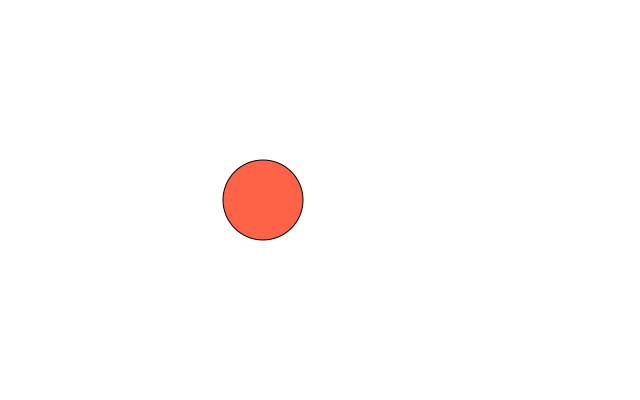
draw() runs again and again. Change a number a little each time and the picture moves.
import funground as f

x = 60
speed = 7


def setup():
    f.size(640, 400)


def draw():
    global x, speed
    f.background("white")
    f.fill("tomato")
    f.circle(x, f.height / 2, 80)
    x += speed
    if x > f.width - 40 or x < 40:
        speed = -speed          # bounce


f.run()
Moving by time, not by frames
A slow computer runs fewer frames per second, so x += 7 moves more slowly there.
f.delta_time is the number of seconds the previous frame took; multiply a speed by it and the
motion is the same everywhere:
x += 150 * f.delta_time # 150 pixels per second
| Value | Meaning |
|---|---|
f.frame_count |
Frames completed since the start |
f.delta_time |
Seconds taken by the previous frame (0.0 in the first) |
f.size(..., fps=30) |
Ask for 30 frames per second instead of 60 |
Pausing: no_loop, loop and redraw
| Function | What it does |
|---|---|
f.no_loop() |
Stop calling draw() every frame. The window stays open. draw() still runs once at the start — even if no_loop() is in setup() — so a still picture needs nothing else |
f.loop() |
Call draw() every frame again |
f.redraw() |
Call draw() just once more, e.g. when a key is pressed |
f.is_looping() |
True while draw() runs every frame |
f.exit() |
End the sketch — the same as f.stop() |
f.frame_count only counts frames that were actually drawn.
Clocks and timers
| Function | Gives |
|---|---|
f.millis() |
Whole milliseconds since the sketch started |
f.frame_rate() |
Frames per second actually achieved |
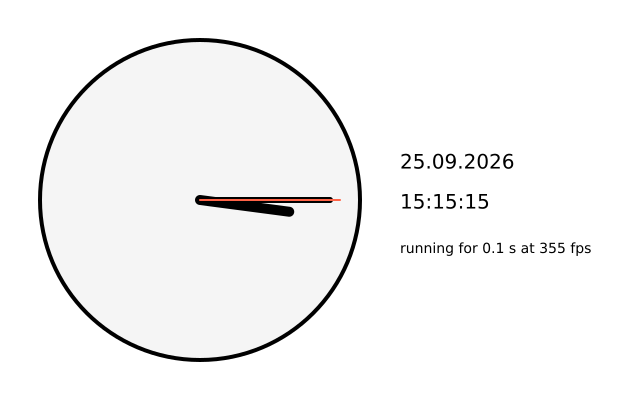
f.second(), f.minute(), f.hour() |
The computer's clock |
f.day(), f.month(), f.year() |
Today's date |
See also
- Gallery: Animation and time and Motion.
- Quick Reference: 4. Animation and changing variables.
- To record an animation as a GIF, see 13. Saving your work.
Try it
- Make the bouncing ball bounce up and down as well as across.
- Move the ball with
f.delta_timeinstead of a fixed step, at 200 pixels a second. Then ask forfps=30inf.size(). Does the speed change? - Draw a clock hand that turns once a minute. Hint:
f.second()andf.rotate().