12. Useful maths
funground adds a few helpers that come up all the time in drawing. For everything else —
sqrt, sin, cos, atan2, pi, floor — use Python's own math module
(import math). Remember that f.rotate() takes degrees while math.sin wants radians:
convert with f.radians() and f.degrees().
| Helper | What it gives | Example |
|---|---|---|
f.map_range(v, a1, b1, a2, b2) |
v re-scaled from the range a1..b1 to a2..b2 |
f.map_range(f.mouse_x, 0, f.width, 0, 255) |
f.map_range(..., clamp=True) |
the same, kept inside a2..b2 |
|
f.lerp(a, b, t) |
the number t of the way from a to b (0 → a, 1 → b) |
f.lerp(0, 100, 0.25) is 25 |
f.norm(v, a, b) |
where v sits between a and b, as 0 to 1 |
f.norm(15, 10, 20) is 0.5 |
f.mag(x, y) |
the length of the arrow (x, y) |
f.mag(3, 4) is 5 |
f.constrain(v, low, high) |
v, kept between low and high |
|
f.distance(x1, y1, x2, y2) |
how far apart two points are |
(It is called map_range, not map, so it never hides Python's own map.)
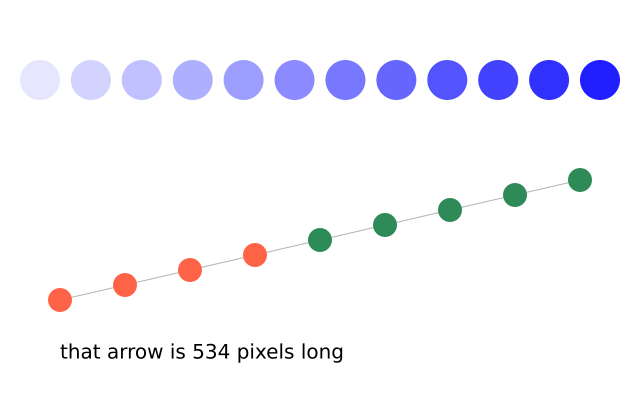
import funground as f


def setup():
    f.size(640, 200)


def draw():
    f.background("white")
    f.no_stroke()
    for i in range(12):
        x = f.map_range(i, 0, 11, 40, 600)
        shade = f.map_range(i, 0, 11, 230, 30)
        f.fill((shade, shade, 255))
        f.circle(x, 100, 40)


f.run()
Vectors
A vector keeps an x and a y together: a position, a speed, a push. f.Vector(3, 4) is an
arrow 3 across and 4 down; v.x and v.y are its parts, and v.mag() is its length, 5.
Moving things is then two lines: forces add to the velocity, the velocity adds to the position.
| Call | Does | Note |
|---|---|---|
v.add(w), v.sub(w) |
adds or subtracts w |
changes v |
v.mult(n), v.div(n) |
scales by n |
changes v |
v.limit(n), v.set_mag(n) |
caps or sets the length | changes v |
v.normalize() |
makes the length 1 | changes v |
v.rotate(degrees) |
turns it | changes v |
v.mag(), v.heading() |
length; direction in degrees (0 = right, 90 = down) | a number |
v.dist(w), v.dot(w) |
distance to w; dot product |
a number |
v + w, v * 2 |
a new vector | v unchanged |
f.Vector.from_angle(degrees, length) |
a vector pointing that way | new |
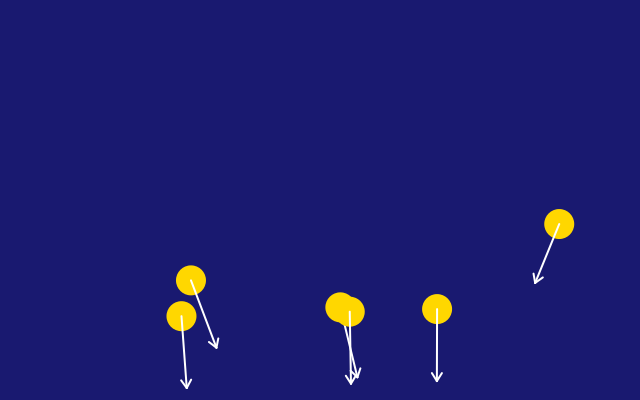
Methods such as add change the vector itself, as in p5.js, so position.add(velocity) moves
the position. Use copy() when you want to keep the original, or write position + velocity.
import funground as f

position = f.Vector(40, 100)
velocity = f.Vector(3, -4)
gravity = f.Vector(0, 0.2)


def setup():
    f.size(640, 200)


def draw():
    f.background("white")
    velocity.add(gravity)
    position.add(velocity)
    if position.y > 180:
        velocity.y *= -0.8
        position.y = 180
    f.fill("tomato")
    f.circle(position.x, position.y, 30)


f.run()
See also
- Gallery: Useful maths and Motion.
- Quick Reference: 5. Mouse, keyboard and useful helpers.
- Words: vector.
Try it
- Use
f.map_range()to turn the mouse's x into a colour from 0 to 255. - Draw 10 circles between two points with
f.lerp(), spaced evenly. - Make a ball with a
f.Vectorposition and speed that bounces off all four edges.
Next: 13. Saving your work