2. The sketch: setup, draw and run
Every funground program has the same shape:
import funground as f


def setup():          # optional: runs once
    f.size(640, 400, title="my sketch", fps=60)


def draw():           # required: runs every frame
    f.background("midnightblue")
    f.fill("gold")
    f.no_stroke()
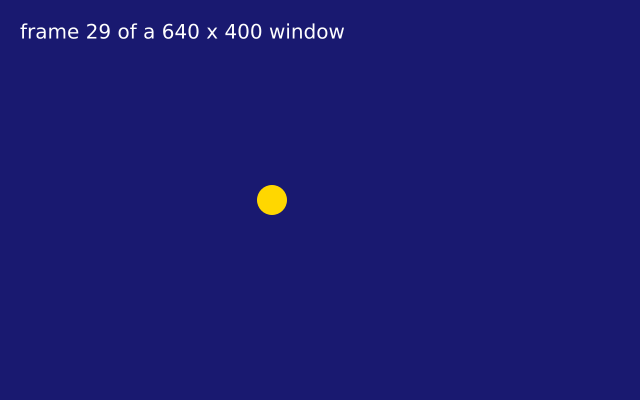
    f.circle(40 + f.frame_count * 8, f.height / 2, 30)
    if f.frame_count > 600:
        f.stop()


f.run()
| What it does | |
|---|---|
f.size(w, h, title=..., fps=...) |
Opens (or resizes) the window. Without setup(), you get a 640 × 480 window. |
draw() |
Called once per frame. Draw the whole picture again each time. |
f.frame_count |
Frames completed so far; 0 during the first draw(). |
f.width, f.height |
The window size. |
f.stop() |
Ends the sketch after this draw(). |
f.run(max_frames=300) |
Stops by itself after 300 frames — handy for tests and screenshots. |
Scripts: drawing without draw()
Not every picture moves. If you only want to draw something once, you can write a script:
a file with no setup(), no draw() and no f.run(). The lines run from the top to the bottom,
and what you draw stays on the canvas.
import funground as f

f.size(400, 300)                    # makes the canvas; no window opens yet
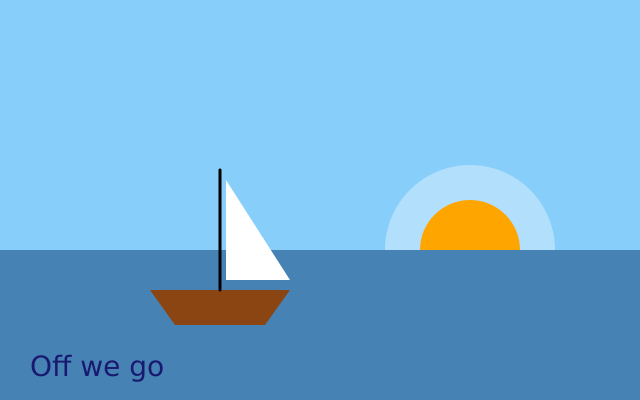
f.background("lightskyblue")
f.no_stroke()
f.fill("gold")
f.circle(300, 90, 70)
f.fill("seagreen")
f.rect(0, 220, 400, 80)
f.save("scene.png")                 # the file is written right now
f.show()                            # opens a window; close it or press Escape to finish
In a script:
f.size()makes the canvas but does not open a window.f.save("name.png")writes the file at once. A.pdfor.svgkeeps everything as shapes.f.show()opens a window with your drawing and waits until you close it. Then the script goes on, so you can draw more and callf.show()again.- Calling
f.size()again gives you a new, blank canvas. - Functions that only make sense for animation (
f.no_loop(),f.loop(),f.redraw(),f.save_frames()andf.exit()) give an error. So doesf.show()in an animated sketch, because its window is already open.
How big can a script get? A script remembers every shape it draws, so that it can save a PDF
or SVG as shapes. Each simple shape takes about 100 bytes, so a hundred shapes is about 10 KB and a
million shapes is about 100 MB. That is fine for most pictures. If you draw millions of shapes, draw
in parts: draw some, call f.save(), then call f.size() again to start a new, blank canvas.
Which style should I use? Use a script for a picture, a poster or a file to print. Use an
animated sketch when things move or react to the mouse and keyboard. A file is one or the other. If
it has setup() without draw(), or drawing at the top level plus f.run(), funground stops with
an error that tells you what to change.
Why do animated sketches still end with f.run()? Python cannot start a sketch by itself.
In IDLE and Thonny, only the lines you wrote are run, so a sketch without f.run() would just do
nothing. If you run a file from a terminal and forget f.run(), funground reminds you as the
program ends.
Variables that change
A variable made at the top of the file and changed inside draw() needs global:
x = 50

def draw():
    global x          # draw() changes x, so Python needs this line
    x += 2
Clearing the frame
f.background(...) paints the whole window. Call it first in draw() to start each frame
clean; leave it out and everything you drew before stays — useful for trails and paintings.
The window
| Function | What it does |
|---|---|
f.resize_canvas(width, height) |
A new size while the sketch runs; f.width and f.height follow. |
f.full_screen() |
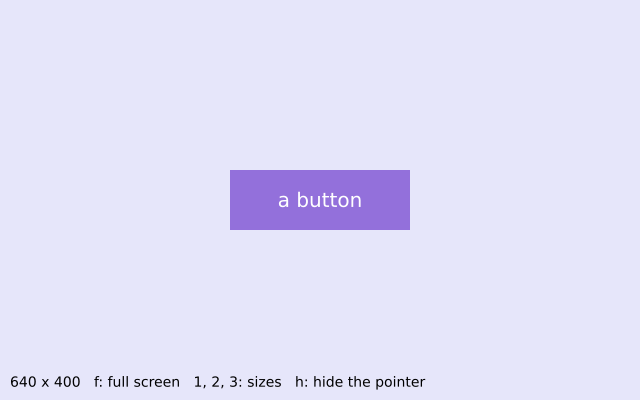
Fill the whole screen. Use it in setup() instead of f.size(). f.width and f.height become the screen's size. Escape still ends the sketch. |
f.cursor(kind) |
The mouse pointer over the canvas: "arrow" (the default), "cross", "hand", "move", "text" or "wait". |
f.no_cursor() |
Hide the pointer, for example in a full-screen piece. |
A sketch that places everything using f.width and f.height fits any size, including full
screen.
See also
- Gallery: Basics and Interaction (for the window).
- Quick Reference: 1. The basic idea.
- Forgot
f.run(), or the window closes at once? See When something goes wrong.
Try it
- In the first sketch, make the dot go back to the left edge when it reaches the right one. Hint: the
%sign. - Remove
f.background(...)fromdraw(). What does the dot leave behind? Put it back, then tryf.background((0, 0, 0, 20))instead. - Turn the moving sketch into a script: no
setup(), nodraw(), nof.run(). Draw five circles in a row with aforloop, save a PNG and callf.show().
Next: 3. Shapes