8. Transforms and saved_state
Transforms move, turn and resize everything you draw afterwards.
| Function | Effect |
|---|---|
f.translate(dx, dy) |
Moves the origin by (dx, dy) |
f.rotate(degrees) |
Turns around the current origin — 90 is a quarter turn clockwise |
f.scale(s) / f.scale(sx, sy) |
Grows or shrinks; two numbers stretch differently across and down |
f.push() / f.pop() |
Save the current transform and style; bring them back |
with f.saved_state(): |
push() at the start of the block, pop() at the end — even if something goes wrong |
import funground as f


def setup():
    f.size(640, 400)


def draw():
    f.background("white")
    f.fill("gold")
    f.stroke("black")
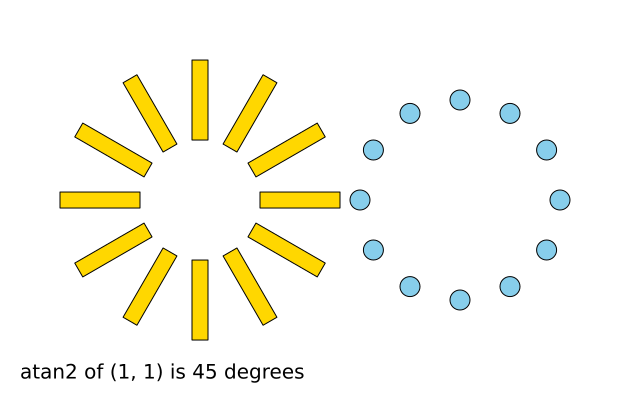
    for angle in range(0, 360, 30):
        with f.saved_state():
            f.translate(200, 200)
            f.rotate(angle)
            f.rect(60, -8, 80, 16)


f.run()
Slanting and whole matrices
| Function | Effect |
|---|---|
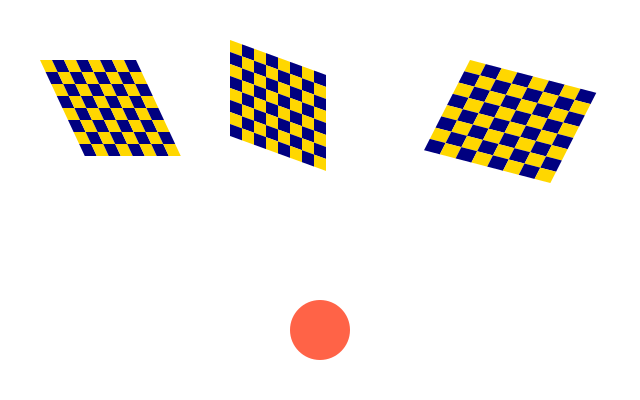
f.shear_x(degrees) / f.shear_y(degrees) |
Slant later drawing sideways / up and down |
f.apply_matrix(a, b, c, d, e, f) |
Multiply in a whole transform: x' = a·x + c·y + e, y' = b·x + d·y + f |
f.reset_matrix() |
Forget every transform so far, until the end of the saved_state block |
Order matters
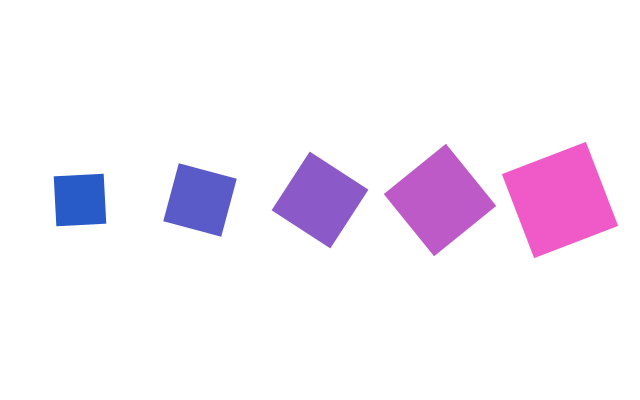
f.translate(100, 0) then f.rotate(45) turns the drawing around the new origin. The other
way round, the translation itself is turned. Read transforms bottom-up: the last one written is
the first applied to your shape.
What resets and what stays
- Transforms reset at the start of every frame. A
rotate()in onedraw()does not carry into the next. - Style stays. A
f.fill("blue")indraw()is still in force next frame — unless it was inside asaved_stateblock or betweenpush()andpop(). - A
push()without itspop()is closed for you at the end of the frame, with a warning.
Angles
rotate() takes degrees. Python's math.sin and math.cos want radians, so convert:
math.sin(f.radians(30)), and back with f.degrees(math.atan2(dy, dx)).
See also
- Gallery: Transforms.
- Quick Reference: 7. Transforms and the state stack.
- Words: transform, push and pop.
Try it
- Draw a flower: 8 ellipses, each one turned a little more than the last, around the centre of the canvas.
- Make a square spin about its own centre. Hint:
f.translate()to the centre first, thenf.rotate(), then draw withf.rect_mode("center"). - Draw a shape inside
with f.saved_state():after af.fill("red"). Draw another shape after the block. Which colour is it?