Your first sketch
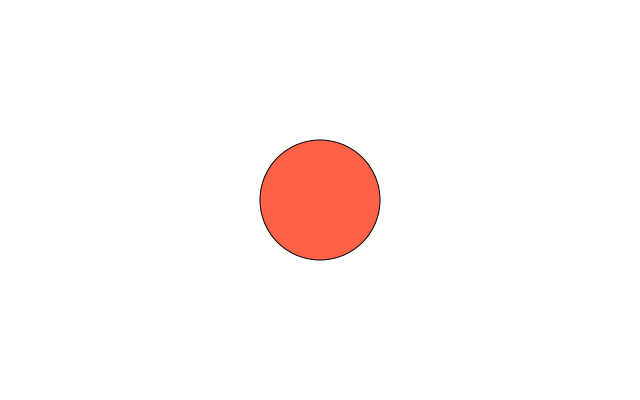
A window, a background and one circle: the three lines every sketch starts from.
How it works
- import funground as f gives you every drawing command, written with an f. in front, like f.circle().
- setup() runs once. f.size(640, 400) makes a window 640 pixels wide and 400 tall.
- draw() runs again and again. f.background("white") paints the whole window first.
- f.fill("tomato") sets the colour for the shapes after it. A colour name is enough.
- f.circle(320, 200, 120) draws a circle. The first two numbers are its centre (x across, y down, from the top-left corner). The last is its width.
- f.run() at the bottom starts the sketch.
Make it yours
- Change "tomato" to another colour name, such as "teal" or "gold".
- Change the 120 in f.circle() to make the circle bigger or smaller.
- Move the circle: change 320 and 200. Bigger x goes right, bigger y goes down.
- Draw a second shape after the circle, such as f.rect(40, 40, 100, 60).
- Follow the mouse: use f.mouse_x and f.mouse_y in place of 320 and 200.
The code
Copy it into a file and run it.
"""Your first sketch

A window, a background and one circle: the three lines every sketch starts from.

How it works:
- import funground as f gives you every drawing command, written with an f. in front, like f.circle().
- setup() runs once. f.size(640, 400) makes a window 640 pixels wide and 400 tall.
- draw() runs again and again. f.background("white") paints the whole window first.
- f.fill("tomato") sets the colour for the shapes after it. A colour name is enough.
- f.circle(320, 200, 120) draws a circle. The first two numbers are its centre (x across, y down,
  from the top-left corner). The last is its width.
- f.run() at the bottom starts the sketch.

Make it yours:
- Change "tomato" to another colour name, such as "teal" or "gold".
- Change the 120 in f.circle() to make the circle bigger or smaller.
- Move the circle: change 320 and 200. Bigger x goes right, bigger y goes down.
- Draw a second shape after the circle, such as f.rect(40, 40, 100, 60).
- Follow the mouse: use f.mouse_x and f.mouse_y in place of 320 and 200.
"""
import funground as f


def setup():
    f.size(640, 400)


def draw():
    f.background("white")
    f.fill("tomato")
    f.circle(320, 200, 120)


f.run()