setup() once, draw() every frame
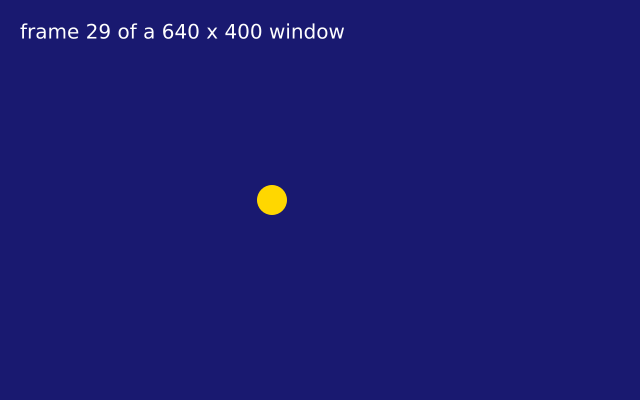
setup() runs once; draw() runs again and again. A gold dot walks across the window, one step every frame, and the frame number is written in the corner.
How it works
- setup() runs once, before anything is drawn. Here it calls f.size() to make the window.
- draw() runs again and again, many times a second. Each run is one frame.
- f.frame_count counts the frames, so it is a clock. The dot's x is (40 + f.frame_count * 8) % f.width, and the % brings it back to the left edge.
- f.background() paints the whole window at the start of every frame. That wipes the last dot, so it looks as if one dot moves.
- f.fill(), f.no_stroke() and f.circle() set the style and draw the dot. A style stays until you change it.
- f.run() at the bottom starts the sketch, and f.stop() ends it after 600 frames.
Make it yours
- Change the 8 in the x line: a smaller number is slower, a bigger one is faster.
- Change the colours. Try f.background("tomato") and f.fill("white"), or any other colour name.
- Swap f.circle() for f.rect() or f.ellipse() and see how the dot changes.
- Draw a second dot that walks the other way: use f.width - x for its x.
- Move the dot up and down as well. Use math.sin(f.frame_count * 0.1) in the y value, with import math at the top.
The code
Copy it into a file and run it.
"""setup() once, draw() every frame

setup() runs once; draw() runs again and again. A gold dot walks across the window, one step
every frame, and the frame number is written in the corner.

How it works:
- setup() runs once, before anything is drawn. Here it calls f.size() to make the window.
- draw() runs again and again, many times a second. Each run is one frame.
- f.frame_count counts the frames, so it is a clock. The dot's x is (40 + f.frame_count * 8) %
  f.width, and the % brings it back to the left edge.
- f.background() paints the whole window at the start of every frame. That wipes the last dot, so
  it looks as if one dot moves.
- f.fill(), f.no_stroke() and f.circle() set the style and draw the dot. A style stays until you
  change it.
- f.run() at the bottom starts the sketch, and f.stop() ends it after 600 frames.

Make it yours:
- Change the 8 in the x line: a smaller number is slower, a bigger one is faster.
- Change the colours. Try f.background("tomato") and f.fill("white"), or any other colour name.
- Swap f.circle() for f.rect() or f.ellipse() and see how the dot changes.
- Draw a second dot that walks the other way: use f.width - x for its x.
- Move the dot up and down as well. Use math.sin(f.frame_count * 0.1) in the y value, with import
  math at the top.
"""
import funground as f


def setup():
    f.size(640, 400, title="setup and draw")


def draw():
    f.background("midnightblue")
    f.fill("gold")
    f.no_stroke()
    # a dot that walks across the window, one step per frame, and starts again at the left edge
    x = (40 + f.frame_count * 8) % f.width
    f.circle(x, f.height / 2, 30)
    f.fill("white")
    f.text_size(20)
    f.text(f"frame {f.frame_count} of a {f.width} x {f.height} window", 20, 20)
    if f.frame_count > 600:
        f.stop()


f.run()