Sliders, a checkbox and a button
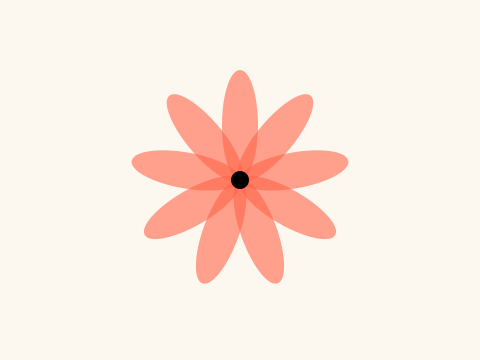
A slider, a checkbox and a button sit in a panel below the canvas. The sliders set the number and the length of the petals, the checkbox makes the flower spin, and the button picks the next colour.
How it works
- f.create_slider(), f.create_checkbox() and f.create_button() each make one control. Make them in setup() and keep each in a variable.
- In draw(), ask a control for its value. petals.value() gives the slider's number and spin.checked() says if the box is ticked.
- next_colour.clicked() is true if the button was clicked since it was last asked, so a click moves one step along COLOURS (two quick clicks between frames count as one).
- The petals are drawn with a loop. Each one is turned 360 / count degrees from the last, using f.rotate() between f.push() and f.pop().
- f.translate() at the start moves the middle of the flower to the middle of the canvas.
Make it yours
- Add a colour: put another (red, green, blue) group in COLOURS.
- Change the slider ranges. In f.create_slider(3, 24, 9) the numbers are lowest, highest and start.
- Add a third slider for the size of the middle circle, and use its value() in f.circle(0, 0, 18).
- Change the 1.5 in turn += 1.5 for a faster or slower spin.
- Change the 150 in f.fill(red, green, blue, 150) to make the petals more or less see-through.
The code
Copy it into a file and run it.
"""Sliders, a checkbox and a button

A slider, a checkbox and a button sit in a panel below the canvas. The sliders set the number and
the length of the petals, the checkbox makes the flower spin, and the button picks the next colour.

How it works:
- f.create_slider(), f.create_checkbox() and f.create_button() each make one control. Make them in
  setup() and keep each in a variable.
- In draw(), ask a control for its value. petals.value() gives the slider's number and spin.checked()
  says if the box is ticked.
- next_colour.clicked() is true if the button was clicked since it was last asked, so a click moves
  one step along COLOURS (two quick clicks between frames count as one).
- The petals are drawn with a loop. Each one is turned 360 / count degrees from the last, using
  f.rotate() between f.push() and f.pop().
- f.translate() at the start moves the middle of the flower to the middle of the canvas.

Make it yours:
- Add a colour: put another (red, green, blue) group in COLOURS.
- Change the slider ranges. In f.create_slider(3, 24, 9) the numbers are lowest, highest and start.
- Add a third slider for the size of the middle circle, and use its value() in f.circle(0, 0, 18).
- Change the 1.5 in turn += 1.5 for a faster or slower spin.
- Change the 150 in f.fill(red, green, blue, 150) to make the petals more or less see-through.
"""
import funground as f

COLOURS = [(255, 99, 71), (240, 180, 20), (46, 139, 87), (65, 105, 225), (186, 85, 211)]
shade = 0           # which colour is showing
turn = 0            # how far the flower has spun, in degrees


def setup():
    global petals, length, spin, next_colour
    f.size(480, 360)
    petals = f.create_slider(3, 24, 9, step=1, label="petals")
    length = f.create_slider(40, 150, 110, label="length")
    spin = f.create_checkbox("spin")
    next_colour = f.create_button("next colour")


def draw():
    global shade, turn
    if next_colour.clicked():             # true once for each click
        shade = (shade + 1) % len(COLOURS)
    if spin.checked():
        turn += 1.5

    f.background(252, 248, 240)
    f.no_stroke()
    f.translate(f.width / 2, f.height / 2)
    count = petals.value()
    for i in range(count):
        f.push()
        f.rotate(turn + 360 * i / count)
        red, green, blue = COLOURS[shade]
        f.fill(red, green, blue, 150)
        f.ellipse(0, -length.value() / 2, 36, length.value())
        f.pop()
    f.fill("black")
    f.circle(0, 0, 18)


f.run()