Movers with vectors
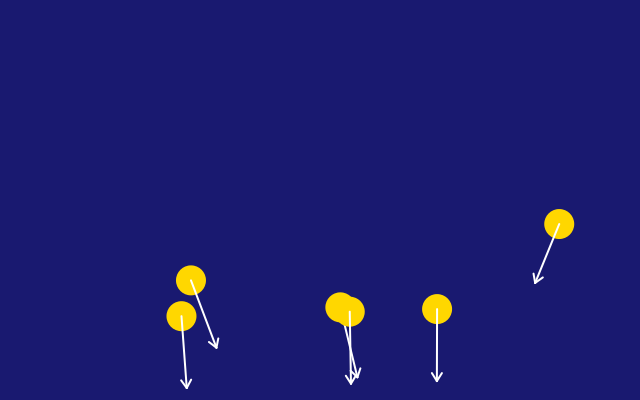
A Vector holds an x and a y together: a position, a velocity or a force. Six gold dots fall, bounce and drift in the wind, each with a little arrow that shows where it is going.
How it works
- f.Vector(x, y) holds two numbers. Each mover has a position and a velocity, both vectors.
- Each frame, forces add to the velocity and the velocity adds to the position. velocity.add(gravity).add(wind) does the first. position.add(velocity) does the second.
- Methods like add() and limit() change the vector itself. limit(12) stops the speed passing 12.
- Operators such as position + velocity * 6 make new vectors, so the old ones stay as they are.
- At the floor and the sides the sketch flips the velocity with * -1. f.constrain() keeps the dot inside the window.
- f.Vector.from_angle() makes the first velocity. velocity.heading() gives the direction, and f.rotate() uses it to turn the arrow heads.
Make it yours
- Change the gravity: f.Vector(0, 0.3). Try a bigger y, or a negative one to fall upwards.
- Change the wind: f.Vector(0.05, 0). Make it bigger, or give it a y part.
- Change the 0.9 in the floor bounce: closer to 1 bounces higher, smaller bounces lower.
- Change range(6) to add more movers, and the 95 spacing so they still fit.
- Change f.random_seed(3) to another number to start them differently.
The code
Copy it into a file and run it.
"""Movers with vectors

A Vector holds an x and a y together: a position, a velocity or a force. Six gold dots fall,
bounce and drift in the wind, each with a little arrow that shows where it is going.

How it works:
- f.Vector(x, y) holds two numbers. Each mover has a position and a velocity, both vectors.
- Each frame, forces add to the velocity and the velocity adds to the position.
  velocity.add(gravity).add(wind) does the first. position.add(velocity) does the second.
- Methods like add() and limit() change the vector itself. limit(12) stops the speed passing 12.
- Operators such as position + velocity * 6 make new vectors, so the old ones stay as they are.
- At the floor and the sides the sketch flips the velocity with * -1. f.constrain() keeps the dot
  inside the window.
- f.Vector.from_angle() makes the first velocity. velocity.heading() gives the direction, and
  f.rotate() uses it to turn the arrow heads.

Make it yours:
- Change the gravity: f.Vector(0, 0.3). Try a bigger y, or a negative one to fall upwards.
- Change the wind: f.Vector(0.05, 0). Make it bigger, or give it a y part.
- Change the 0.9 in the floor bounce: closer to 1 bounces higher, smaller bounces lower.
- Change range(6) to add more movers, and the 95 spacing so they still fit.
- Change f.random_seed(3) to another number to start them differently.
"""
import funground as f

movers = []


def setup():
    f.size(640, 400)
    f.random_seed(3)
    for i in range(6):
        position = f.Vector(80 + i * 95, 60)
        velocity = f.Vector.from_angle(f.random(0, 180), 4)
        movers.append([position, velocity])


def draw():
    f.background("midnightblue")
    gravity = f.Vector(0, 0.3)
    wind = f.Vector(0.05, 0)
    for position, velocity in movers:
        velocity.add(gravity).add(wind).limit(12)
        position.add(velocity)
        if position.y > f.height - 20:          # bounce off the floor, losing a little energy
            position.y = f.height - 20
            velocity.y *= -0.9
        if position.x < 20 or position.x > f.width - 20:
            velocity.x *= -1
            position.x = f.constrain(position.x, 20, f.width - 20)

        f.no_stroke()
        f.fill("gold")
        f.circle(position.x, position.y, 30)
        tip = position + velocity * 6            # operators make new vectors
        f.stroke("white")
        f.stroke_width(2)
        f.line(position.x, position.y, tip.x, tip.y)
        with f.saved_state():
            f.translate(tip.x, tip.y)
            f.rotate(velocity.heading())
            f.line(0, 0, -8, -5)
            f.line(0, 0, -8, 5)


f.run()