Confetti
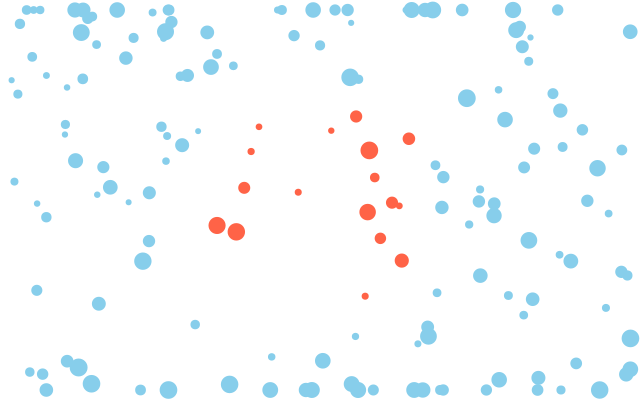
160 dots of confetti land in random places. Dots near the middle are tomato red and the rest are sky blue. The picture is the same every frame because the random seed is fixed.
How it works
- f.random(high) gives a random number from 0 up to high. f.random(low, high) gives one between low and high.
- f.random_seed(7) makes the "random" numbers repeat. Without it, the confetti would jump about every frame.
- f.constrain(value, low, high) keeps a number in range. Dots that start off-screen are pulled back.
- f.distance(x1, y1, x2, y2) measures between two points. Here it asks how far each dot is from the middle.
- The result picks the colour: tomato inside 120 pixels, sky blue outside.
Make it yours
- Change the seed 7 to any other number for a new picture. Take the line out and it changes every frame.
- Change range(160) for more or fewer dots.
- Change the 120, the distance for tomato, to make a bigger or smaller patch.
- Change the dot size: f.random(6, 18) in f.circle().
- Make it move by taking out f.random_seed(7), or by using f.random_seed(f.frame_count // 30).
The code
Copy it into a file and run it.
"""Confetti

160 dots of confetti land in random places. Dots near the middle are tomato red and the rest are sky blue.
The picture is the same every frame because the random seed is fixed.

How it works:
- f.random(high) gives a random number from 0 up to high. f.random(low, high) gives one between
  low and high.
- f.random_seed(7) makes the "random" numbers repeat. Without it, the confetti would jump about
  every frame.
- f.constrain(value, low, high) keeps a number in range. Dots that start off-screen are pulled
  back.
- f.distance(x1, y1, x2, y2) measures between two points. Here it asks how far each dot is from
  the middle.
- The result picks the colour: tomato inside 120 pixels, sky blue outside.

Make it yours:
- Change the seed 7 to any other number for a new picture. Take the line out and it changes every frame.
- Change range(160) for more or fewer dots.
- Change the 120, the distance for tomato, to make a bigger or smaller patch.
- Change the dot size: f.random(6, 18) in f.circle().
- Make it move by taking out f.random_seed(7), or by using f.random_seed(f.frame_count // 30).
"""
import funground as f


def setup():
    f.size(640, 400)


def draw():
    f.random_seed(7)                 # the same confetti every frame
    f.background("white")
    f.no_stroke()
    for _ in range(160):
        x = f.random(f.width)
        y = f.constrain(f.random(-40, f.height + 40), 10, f.height - 10)
        near = f.distance(x, y, f.width / 2, f.height / 2) < 120
        f.fill("tomato" if near else "skyblue")
        f.circle(x, y, f.random(6, 18))


f.run()