Variable font axes
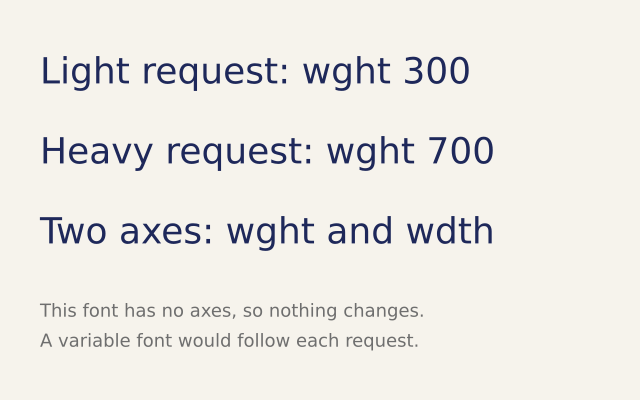
Some fonts have axes, such as weight and width, that you can slide between values. This example asks for different weights. The built-in font has no axes, so all the lines look the same.
How it works
- f.font_variations(wght=700) sets axes of a variable font by name. wght is weight and wdth is width.
- An axis the font does not have is ignored. That makes the call safe to leave in a sketch.
- You can set more than one axis at once, as in f.font_variations(wght=700, wdth=75).
- f.font_variations() with nothing in the brackets goes back to the font's own defaults.
- f.load_font() loads a font file. With a variable font, the weight really changes.
Make it yours
- Change the words and the size, f.text_size(36). The weights will not change, but the layout will.
- Change the numbers: wght=100 is thin and wght=900 is very heavy, in fonts that allow them.
- Load a variable font file with f.load_font(), then call f.text_font() with it before the lines.
- Animate it: f.font_variations(wght=300 + f.frame_count % 400) in draw(). It moves with a variable font.
- Try another axis name, such as slnt or opsz. The call is safe to try.
The code
Copy it into a file and run it.
"""Variable font axes

Some fonts have axes, such as weight and width, that you can slide between values. This example
asks for different weights. The built-in font has no axes, so all the lines look the same.

How it works:
- f.font_variations(wght=700) sets axes of a variable font by name. wght is weight and wdth is
  width.
- An axis the font does not have is ignored. That makes the call safe to leave in a sketch.
- You can set more than one axis at once, as in f.font_variations(wght=700, wdth=75).
- f.font_variations() with nothing in the brackets goes back to the font's own defaults.
- f.load_font() loads a font file. With a variable font, the weight really changes.

Make it yours:
- Change the words and the size, f.text_size(36). The weights will not change, but the layout will.
- Change the numbers: wght=100 is thin and wght=900 is very heavy, in fonts that allow them.
- Load a variable font file with f.load_font(), then call f.text_font() with it before the lines.
- Animate it: f.font_variations(wght=300 + f.frame_count % 400) in draw(). It moves with a variable
  font.
- Try another axis name, such as slnt or opsz. The call is safe to try.
"""
import funground as f


def setup():
    f.size(640, 400)


def draw():
    f.background(246, 243, 236)
    f.no_stroke()
    f.text_size(36)

    f.fill(30, 40, 90)
    f.font_variations(wght=300)
    f.text("Light request: wght 300", 40, 50)

    f.font_variations(wght=700)
    f.text("Heavy request: wght 700", 40, 130)

    f.font_variations(wght=700, wdth=75)
    f.text("Two axes: wght and wdth", 40, 210)

    f.font_variations()                     # back to the font's defaults
    f.fill(110)
    f.text_size(18)
    f.text("This font has no axes, so nothing changes.", 40, 300)
    f.text("A variable font would follow each request.", 40, 330)


f.run()