Writing without f.
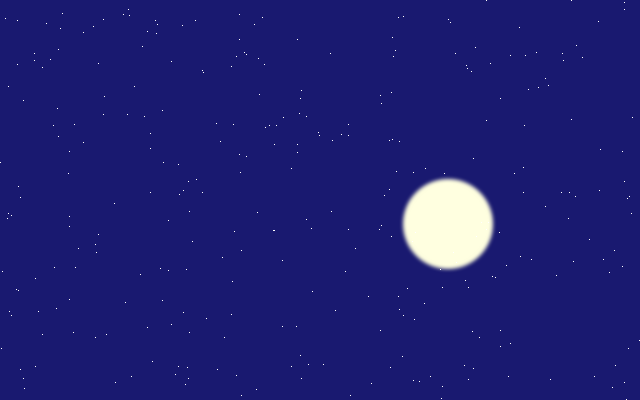
The same kind of sketch as the others, written in the shorter style: from funground import * brings every funground name into the file, so circle() needs no f. in front. A night sky of single-pixel stars, a moon that rises frame by frame, and a soft glow over everything.
How it works
- from funground import * at the top replaces import funground as f. Then size(), circle() and the rest are written on their own, and so are width, height and frame_count, which funground keeps up to date for you.
- Four funground names are left out, because they would hide Python's own: set, filter, exit and random. This style uses their other names, which work with f. too: set_pixel(), apply_filter(), stop() and random_number().
- random_seed(5) in setup() makes random_number() give the same sky every time.
- set_pixel() makes one pixel a colour: each star is one pixel.
- apply_filter("blur", 2) softens everything drawn before it, so the moon glows. The stars come after it, so they stay sharp.
- run() at the bottom starts the sketch, as f.run() does.
Make it yours
- Change STARS for a busier or emptier sky.
- Change the 2 in apply_filter("blur", 2), or try apply_filter("invert").
- Give every star a random colour: set_pixel(x, y, random_number(255), 200, 255).
- Rewrite another gallery example in this style.
The code
Copy it into a file and run it.
"""Writing without f.

The same kind of sketch as the others, written in the shorter style: from funground import * brings
every funground name into the file, so circle() needs no f. in front. A night sky of single-pixel
stars, a moon that rises frame by frame, and a soft glow over everything.

How it works:
- from funground import * at the top replaces import funground as f. Then size(), circle() and
  the rest are written on their own, and so are width, height and frame_count, which funground keeps
  up to date for you.
- Four funground names are left out, because they would hide Python's own: set, filter, exit and
  random. This style uses their other names, which work with f. too: set_pixel(), apply_filter(),
  stop() and random_number().
- random_seed(5) in setup() makes random_number() give the same sky every time.
- set_pixel() makes one pixel a colour: each star is one pixel.
- apply_filter("blur", 2) softens everything drawn before it, so the moon glows. The stars come
  after it, so they stay sharp.
- run() at the bottom starts the sketch, as f.run() does.

Make it yours:
- Change STARS for a busier or emptier sky.
- Change the 2 in apply_filter("blur", 2), or try apply_filter("invert").
- Give every star a random colour: set_pixel(x, y, random_number(255), 200, 255).
- Rewrite another gallery example in this style.
"""
from funground import *

STARS = 300


def setup():
    size(640, 400, title="writing without f.")
    random_seed(5)


def draw():
    background("midnightblue")
    fill("lightyellow")
    no_stroke()
    moon_y = height - 60 - frame_count * 4
    circle(width * 0.7, max(moon_y, 110), 90)
    apply_filter("blur", 2)              # softens what is drawn so far: the moon, not the stars
    random_seed(5)                       # the same stars every frame
    for _ in range(STARS):
        set_pixel(random_number(width), random_number(height), "white")
    if frame_count > 300:
        stop()


run()