Say a colour
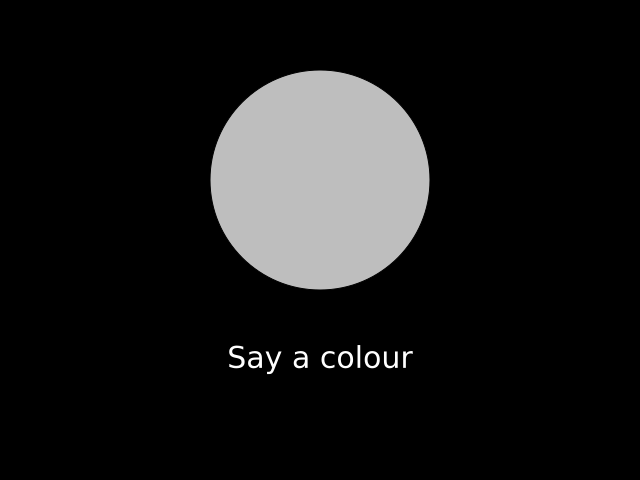
Say the name of a colour into your microphone. The big circle takes that colour, and the words you said are written under it. Each time you say something new, the computer writes it a moment after you stop. It needs the models library, which is a separate install: funground-ml.
In the guide: Colour › Colour names from a list; Models: bodies, hands, words and sounds › Listen for words
How it works
- ml.words(mic) listens to the microphone beside the sketch, so draw() never waits. It gives the words last heard, or None.
- words.text is what was said, with capitals and full stops. words.is_new is True in the one frame when new words arrive.
- The sketch lowercases the words and looks at each one. If a word is in COLOUR_NAMES, the circle is filled with it.
- textwrap.fill() cuts a long sentence into short lines so that it stays on the screen.
- The first run downloads the words model (42 MB, once) into a models folder beside the sketch. It understands English.
Make it yours
- Add more names to COLOUR_NAMES, such as "coral", "navy" or "silver".
- Draw a square when you say "square", and a circle when you say "circle".
- Change SIZE to make the words bigger, or draw them with f.text_font().
- Try ml.words(mic.capture(3)) to listen to the last three seconds in one go.
The code
Copy it into a file and run it.
"""Say a colour

Say the name of a colour into your microphone. The big circle takes that colour, and the words you said are written under it.
Each time you say something new, the computer writes it a moment after you stop. It needs the models library, which is a
separate install: funground-ml.

How it works:
- ml.words(mic) listens to the microphone beside the sketch, so draw() never waits. It gives the words last heard, or None.
- words.text is what was said, with capitals and full stops. words.is_new is True in the one frame when new words arrive.
- The sketch lowercases the words and looks at each one. If a word is in COLOUR_NAMES, the circle is filled with it.
- textwrap.fill() cuts a long sentence into short lines so that it stays on the screen.
- The first run downloads the words model (42 MB, once) into a models folder beside the sketch. It understands English.

Make it yours:
- Add more names to COLOUR_NAMES, such as "coral", "navy" or "silver".
- Draw a square when you say "square", and a circle when you say "circle".
- Change SIZE to make the words bigger, or draw them with f.text_font().
- Try ml.words(mic.capture(3)) to listen to the last three seconds in one go.
"""
import textwrap

import funground as f
from funground import ml, sound

COLOUR_NAMES = ["red", "orange", "yellow", "green", "blue", "purple", "pink", "white", "gold", "teal"]
SIZE = 30
mic = sound.microphone()
shown, said = "gray", "Say a colour"


def setup():
    f.size(640, 480)
    mic.start()


def draw():
    global shown, said
    words = ml.words(mic)
    if words:
        said = words.text
        if words.is_new:
            shown = next((w for w in said.lower().replace(".", " ").replace(",", " ").split() if w in COLOUR_NAMES), shown)
    f.background("black")
    f.fill(shown)
    f.circle(320, 180, 220)
    f.fill("white")
    f.text_size(SIZE)
    f.text_align("center", "top")
    f.text(textwrap.fill(said, 32), 320, 340)


f.run()